Side project · AI Interaction Study · 2026
An AI keyboard that gets things done without switching apps.
Role
Product Design, Prototyping
Timeline
2026
Skills
Interaction Design, AI Behavior Design, Prototyping, Systems Thinking
The Premise
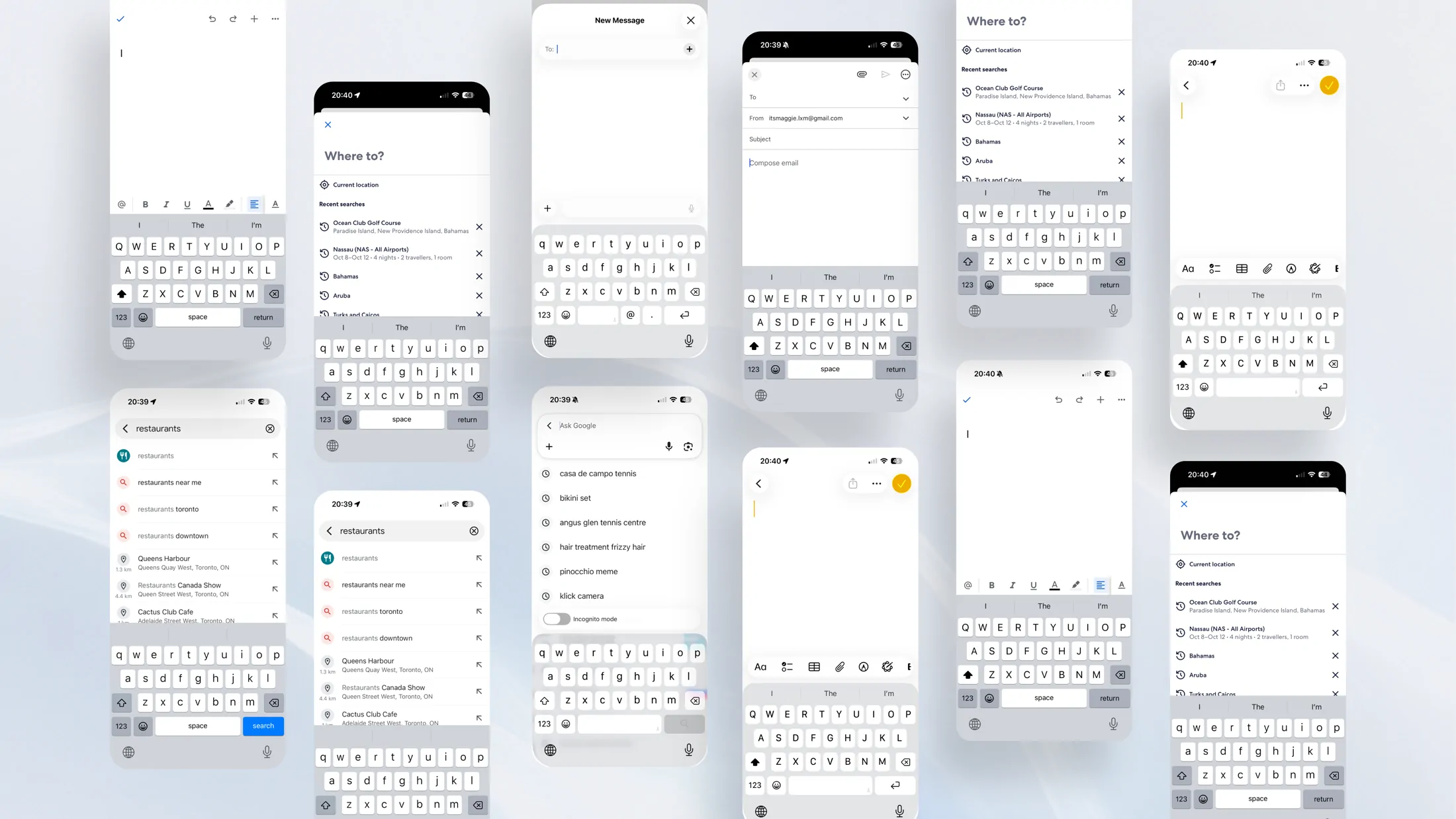
Almost everything I want to do on my phone starts with typing.
We tap and swipe for most things, but anything complicated still gets typed. Typing is about one in four smartphone interactions, and those sessions jump between the most apps. So I started wondering what else the keyboard could do.
The Gap
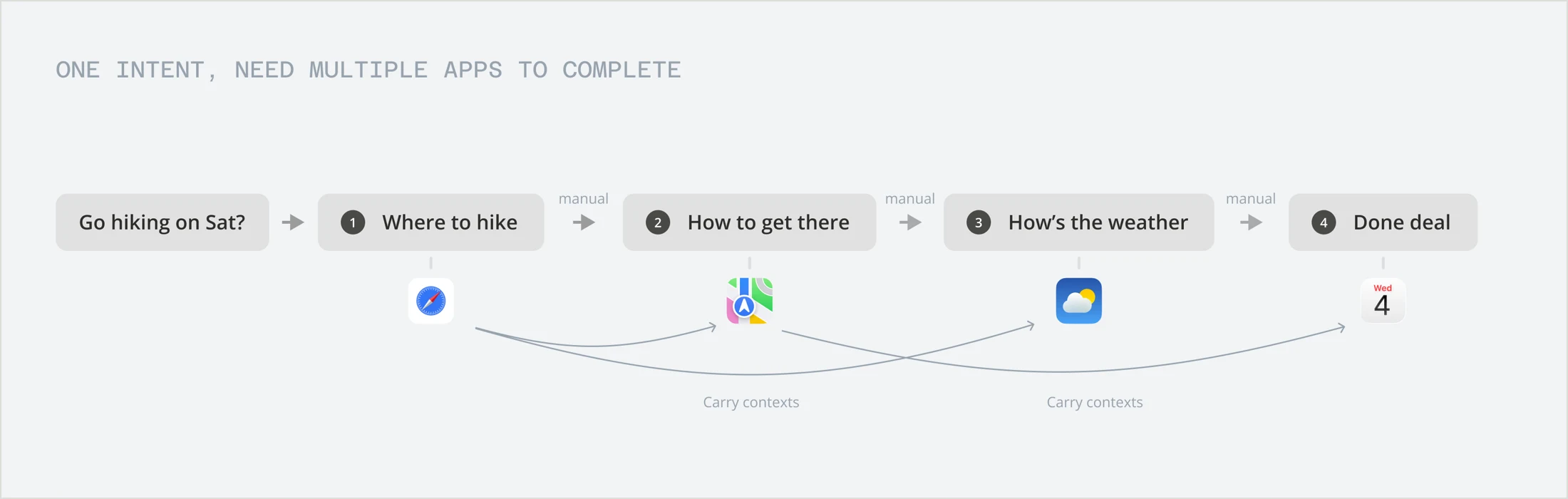
One plan, four apps.
I type "let's go hiking Saturday." The keyboard takes it down, and that's it. To actually make it happen, I still need a trail, the forecast, my calendar, the drive time, and a reply.
None of it is hard. It's just spread across five apps, and I'm the one copying things between them.
You pick the app
First you figure out which app is supposed to handle it.
You carry the details
Trail name, time, temperature. You copy each one over by hand.
You put it together
Four apps give you four pieces. Turning them into a plan is on you.
The Model
What if typing it was enough?
I didn't want another assistant that sends you somewhere else. Pulse turns the keyboard into a place where things actually get done.
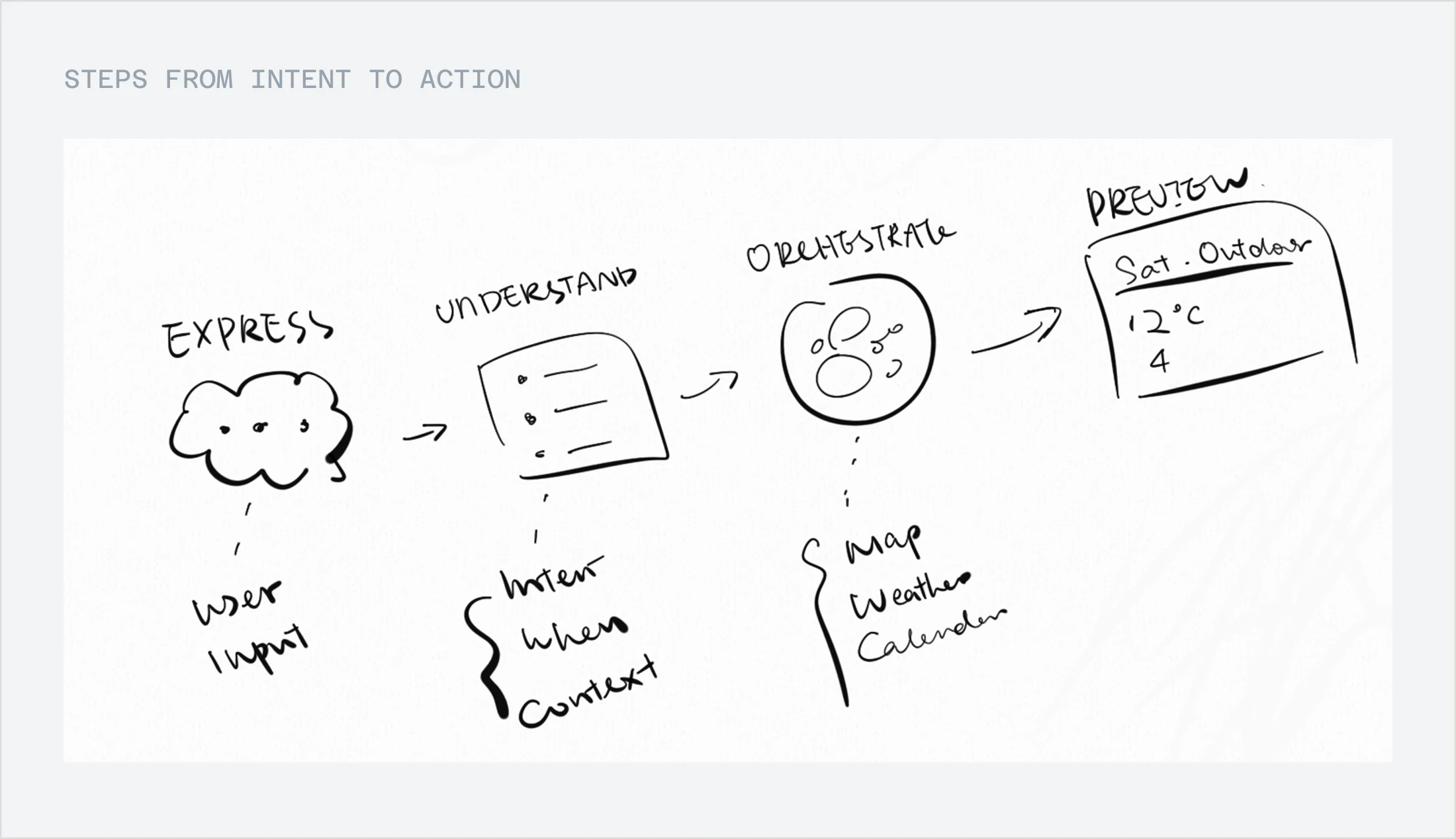
It works in five steps: express, understand, orchestrate, synthesize, preview. The hiking request touches four services and still comes back as one answer. Every request goes through the same steps, so you only learn it once.
I also gave myself four rules.
Intent before interface
We think in goals. Software wants an app name first.
Show the work
Pulse tells you what it understood and what it picked. Magic is fun in a demo, but creepy every day.
Suggest, don't surprise
Nothing is sent, booked, or changed on its own. Everything arrives as a draft.
Stay quiet
It doesn't chime in on every sentence, or drag you into another app.
When it isn't sure
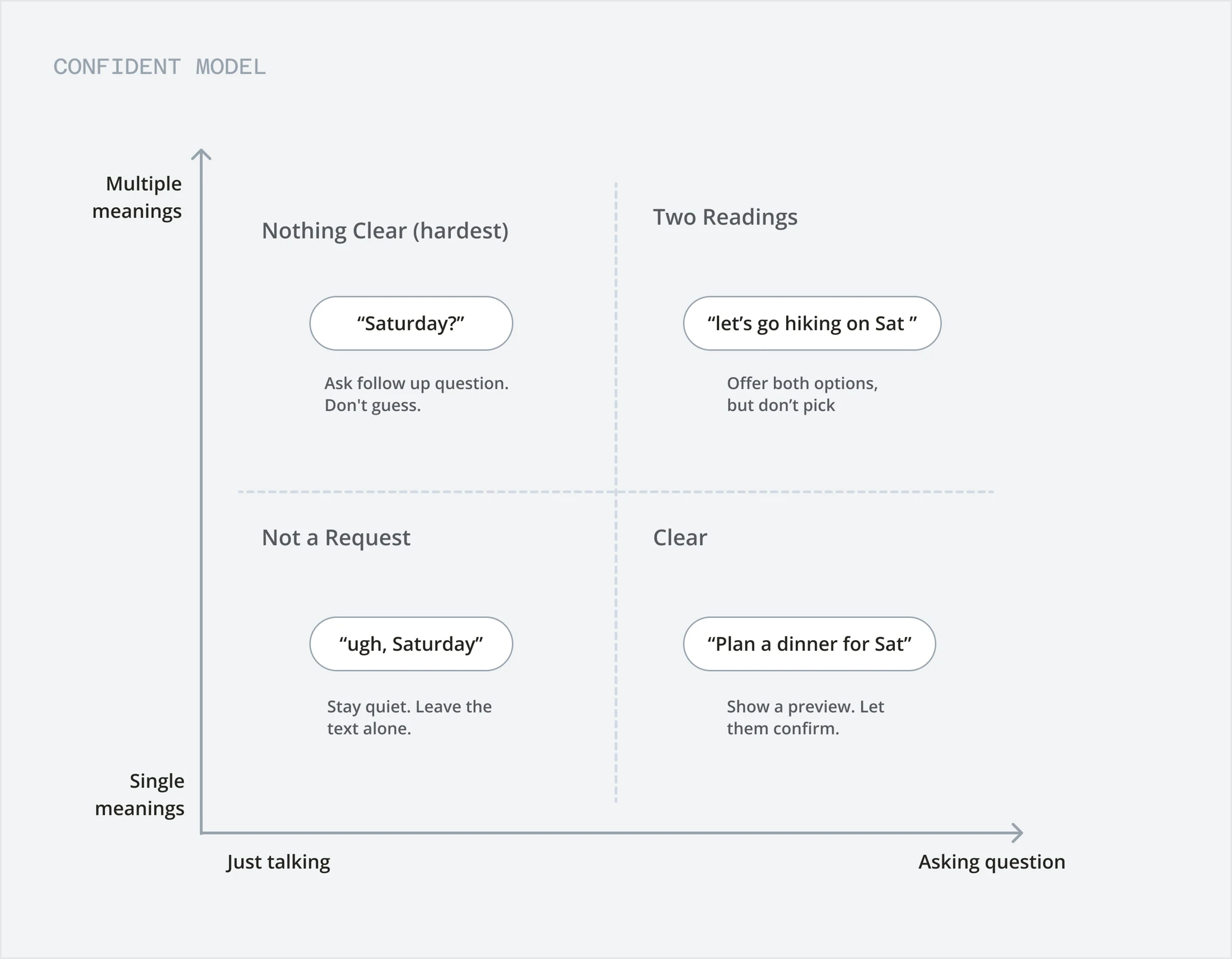
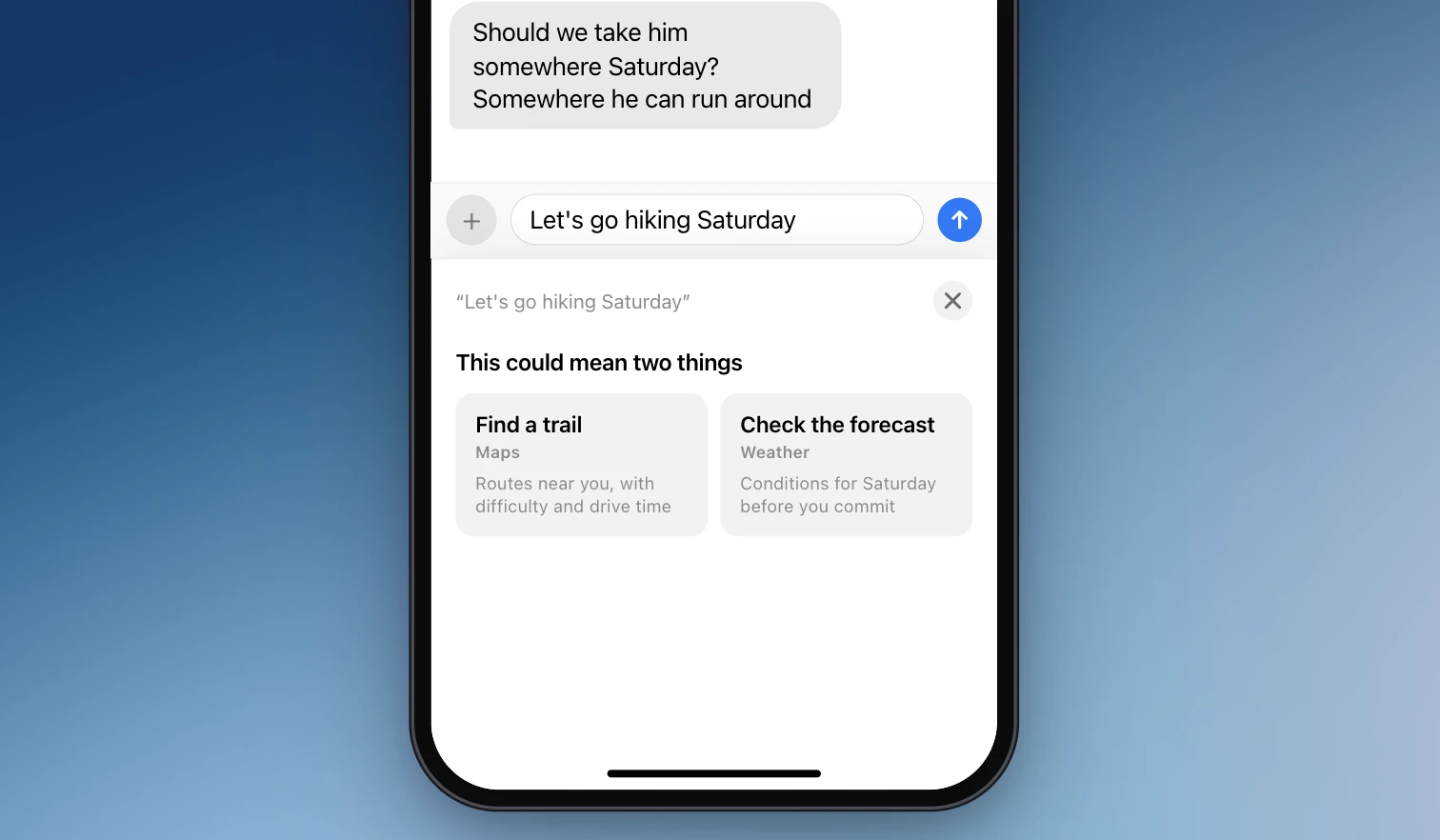
Most of my time went into what happens when it isn't sure. If what you want is clear, you get a preview. If it could mean two things, you see both. If it's unclear, it asks one question instead of guessing. And if it can't help, it says so and leaves your text alone.
The Product
Three different asks, the same five steps.
Here are three things I asked it to do. Each one goes through the same five steps.
It shows its work
You see what it understood, which tool it picked, and why, before anything happens.
It stops where it should
Reservations finish on Resy. Rides finish in Uber. Nothing you can't undo happens without a tap.
It reads the room
The same gesture does three different things, depending on the app you're in and what's on screen.
Dinner plans in one sentence
Planning dinner usually means five apps and a lot of copy and paste. Here it's one sentence. Twelve restaurants get narrowed to three, you pick the table in Resy, and then the rest follows: the message is sent, the calendar is held, and a ride is offered but not booked.
When it isn't sure, it asks
When a request could mean two things, most assistants quietly pick one. Pulse tells you, shows both, and doesn't pick for you. Choose trails and you get three, ranked, with tags that answer the "can I bring my dog" question.
I'd rather it ask me once than make me redo the whole thing.
Rewriting without leaving Mail
“Make this sound more professional” might be the thing people ask AI most. Usually that means copying your draft into a chatbot and pasting the answer back. In Mail, the same Pulse key rewrites it right there. Your original stays on top, and one tap switches the tone.
Tradeoffs
What I gave up.
Each of these had a faster or flashier option. Here's why I didn't take it.
Preview instead of auto-run
Doing it right away is faster, until it gets you wrong and the thing has already happened. One extra tap is worth it.
Keyboard instead of a floating assistant
A floating bubble is one more thing asking for attention, and the keyboard is already there. The downside is people might not know Pulse exists.
Fixed routing instead of open reasoning
I wired the routing by hand. I wanted to test the interaction, not how clever the model is.
Explaining instead of impressing
Showing its reasoning adds a line to read. I think that's worth it. A tool you use every day should be predictable.
Open Questions
What I haven't figured out.
The keyboard is just where we type today. The same idea could work in a command bar, a doc, or a car. These are what I'd work on next.
When should it stay quiet?
A lot of what you type isn't a request. I can't reliably tell venting from asking yet, and guessing wrong gets annoying fast.
What happens past a handful of skills?
Five skills is easy. Five hundred needs ranking and discovery I haven't designed.
Should it earn more freedom over time?
Once it knows your habits, should it do more on its own? Or is asking every time the whole point?
Is the keyboard even the right home?
Maybe it belongs to the whole phone, so any app can use it.
Reflection
What I learned
The keyboard wasn't the interesting part.
I set out to design a smarter keyboard. I ended up thinking about where AI should live in the first place. The keyboard was just the easiest place to start.
The AI I want doesn't make me go anywhere.
It shows up where I'm already working, and stays out of the way until I need it.