RideFlag · Bay Area Pilot · 2023
Carpool verification that still works after dark.
Role
Product Designer Intern
Timeline
2023
Skills
Product Design, UX Flows, Mobile Design, User Research
Overview
RideFlag makes carpooling cheaper.
Riders scan everyone in the car with the app. Once enough people are verified, the trip gets HOV lane access and a toll discount. I joined the Bay Area pilot as a product designer intern.
Problem
...but at night, one missed face failed the whole car.
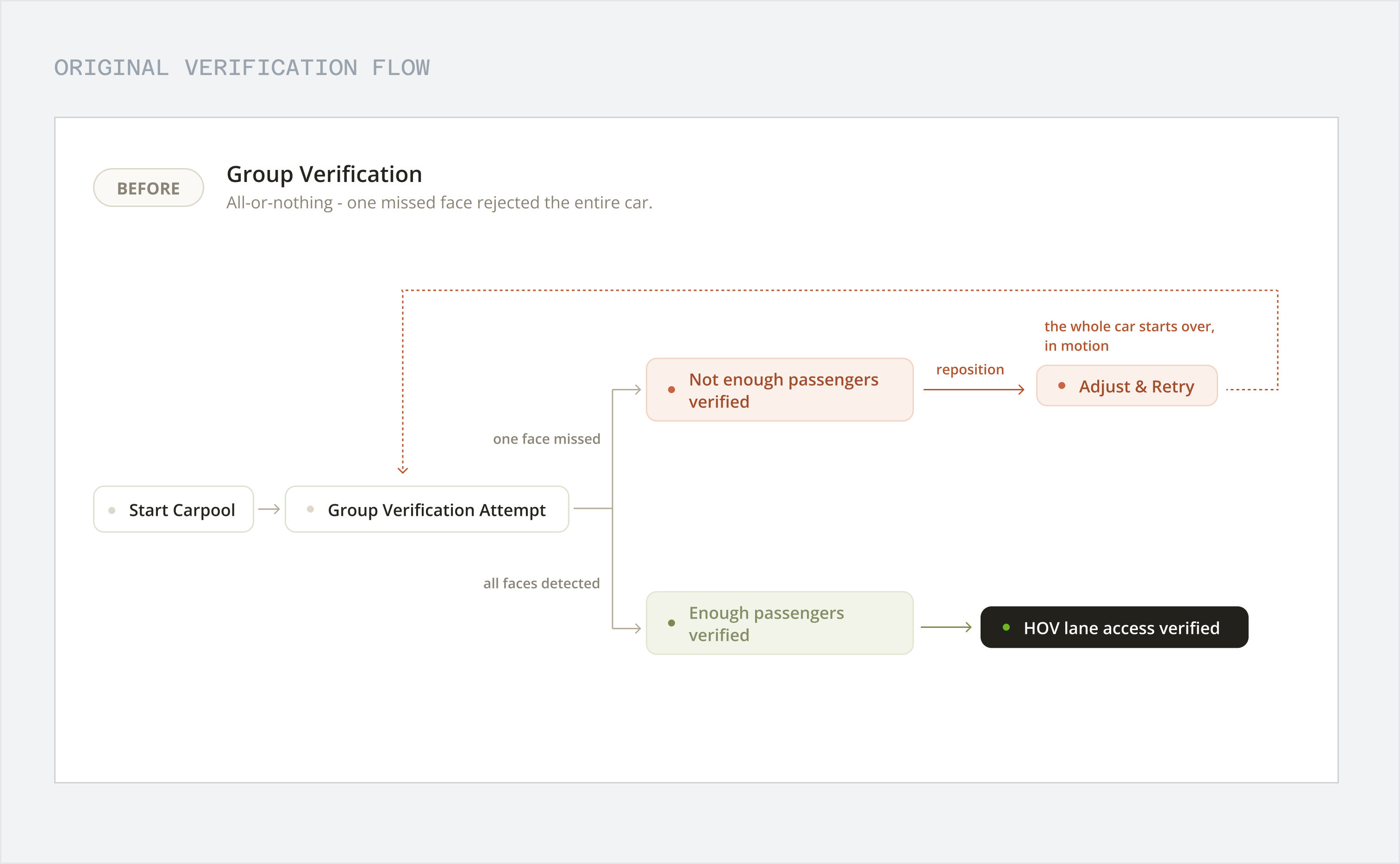
The scan had to catch every passenger at once. In the dark it often missed someone in the backseat, so the whole car had to scan again, while driving.
Worse, the flow threw away every face it had already caught, so everyone started from zero.
Missed in the dark
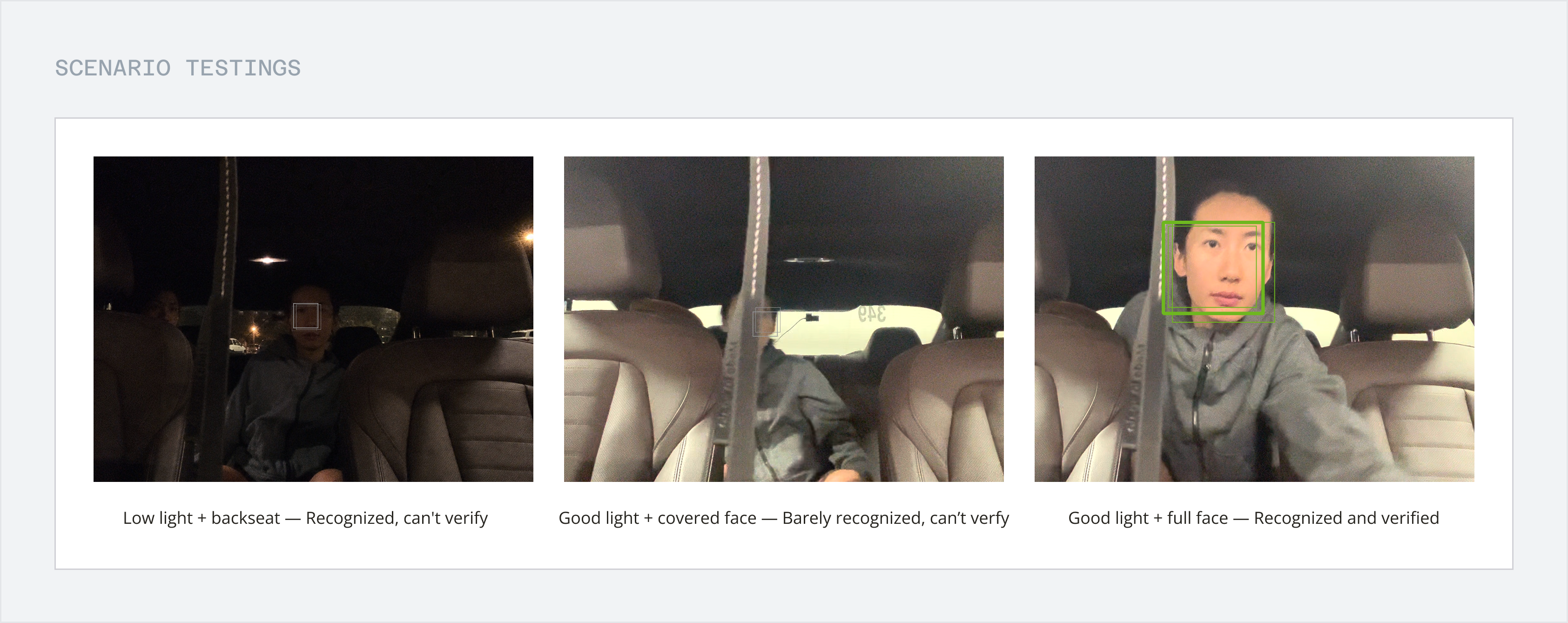
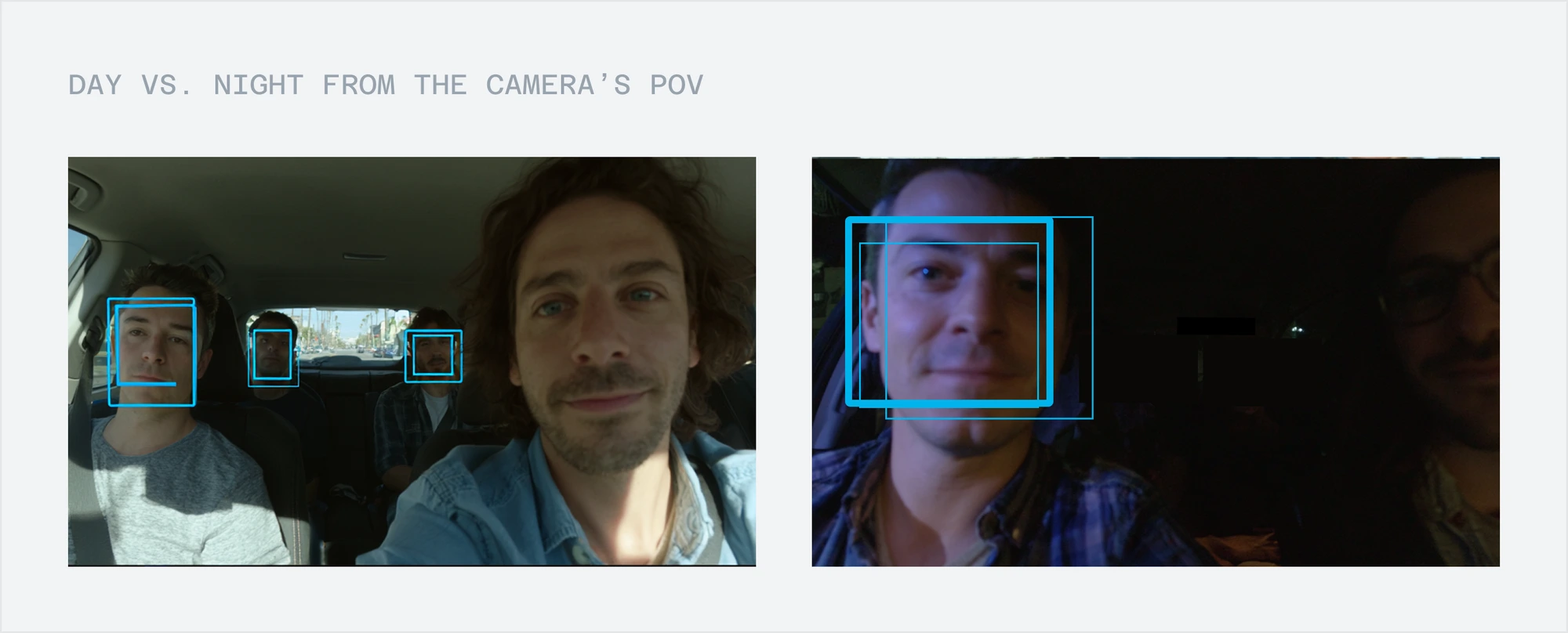
Backseat faces sit far from the lens, deep in shadow.
All or nothing
One miss failed everyone, even people already verified.
Retrying on the highway
Every retry meant passing the phone around and leaning between seats in a moving car.
Solution
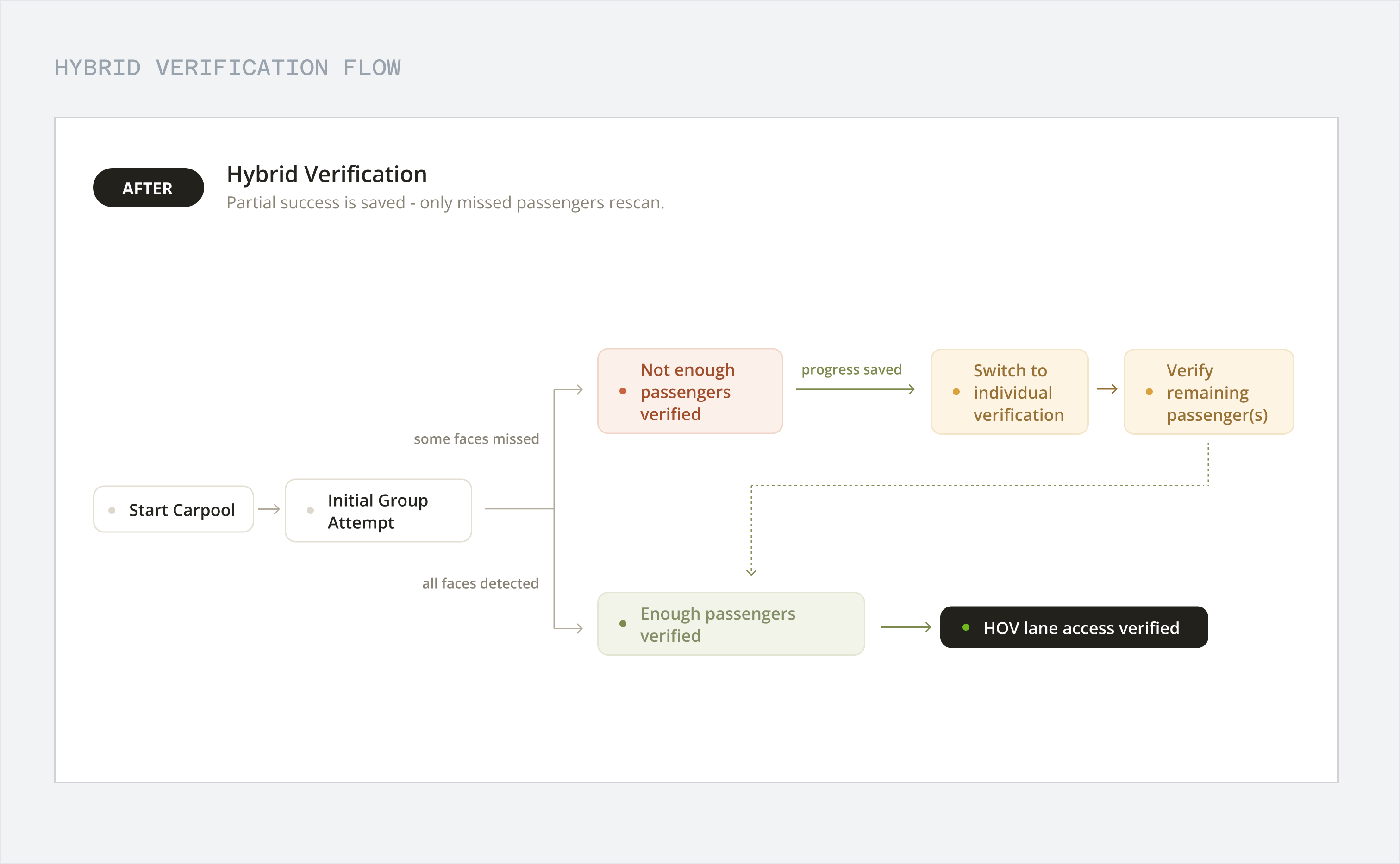
So I made the scan keep every face it catches.
Scan the group, keep every match
One scan checks the whole car, and everyone it catches is verified on the spot.
Finish one by one
Anyone it missed verifies with their own front camera, from their own seat. Nobody starts over.
Outcomes
The new flow shipped with the Bay Area pilot and is live on the App Store and Google Play.
2,000+
trips in the first month
$375,000
awarded for the Bay Area pilot
356
active users as of November 1, 2023
$190,000
in government sustainability funding, won through this proposal
Research
I tried it myself, and failed too.
I rode in the backseat on night drives around the Bay Area. The dome light flicked on and off, the phone got passed around, and the driver kept glancing at the screen.
After that ride, a retry stopped feeling like a small annoyance. It meant a driver looking at a phone at highway speed.
Constraints
Why not just fix the camera?
Seeing faces in the dark is a hard computer vision problem. A better model would take months, and still couldn't promise to catch everyone.
Mid-pilot, we couldn't wait that long. The flow was the part we could change now.
We could double the training set and still miss the backseat under a streetlight.
Exploration
I tried three ideas before the one that stuck.
Each one fixed one thing and broke another.
Then I noticed the group scan usually got most of the car right. If the app kept the faces it caught, only the people it missed would need another step.
Idea 1
Flash the screen
Helped a little, but couldn't reach the backseat and added glare.
Idea 2
Everyone verifies alone
Worked in any light, but slowed down scans that already passed.
Idea 3
Coach the framing
Helped a bit, but added steps in a moving car.
Final Design
Scan together, then finish one by one.
The group scan is still the quick way in, and everyone it catches stays verified. Anyone it missed does a quick check with their own front camera, from their own seat.
Once everyone's in, the trip is verified. Nobody starts over, and nobody fails because of someone else's shadow.
Made for a quick glance
A driver on the highway shouldn't be reading anything. So every passenger is a card. A face means you're in. An empty card with a plus means someone's still missing.
...but even a glance takes your eyes off the road.
So every status change got its own sound and haptic too. You can tell what just happened without looking at all. Give them a listen!
A soft tick. The camera's looking.
One click for every face it catches.
Two notes going up. Nobody has to rescan!
A little chime. You're good to go!
Something's off. Check it when it's safe.
When a scan fails, say why.
The old flow just failed, with no reason and no next step. Now a failed scan tells you what went wrong and what to try, so you're not retrying blind.
Visual System
Colors you can read at a glance.
A driver gets about half a second to read the screen. But in HSV, a yellow and a blue with the same value don't look equally bright at all.
So I built the palette in OKLCH, where the same lightness actually looks the same. Every color holds up, whatever the light in the car.
Reflection
What I learned
Test it where it breaks.
The old flow looked great in daytime demos and fell apart on a dark highway. Now I start with the worst conditions, then work back to the demo.
I couldn't fix the camera, so I fixed the flow.
I couldn't change what the camera saw, but I could change what the app did with it. That shipped months before a better model would have.